
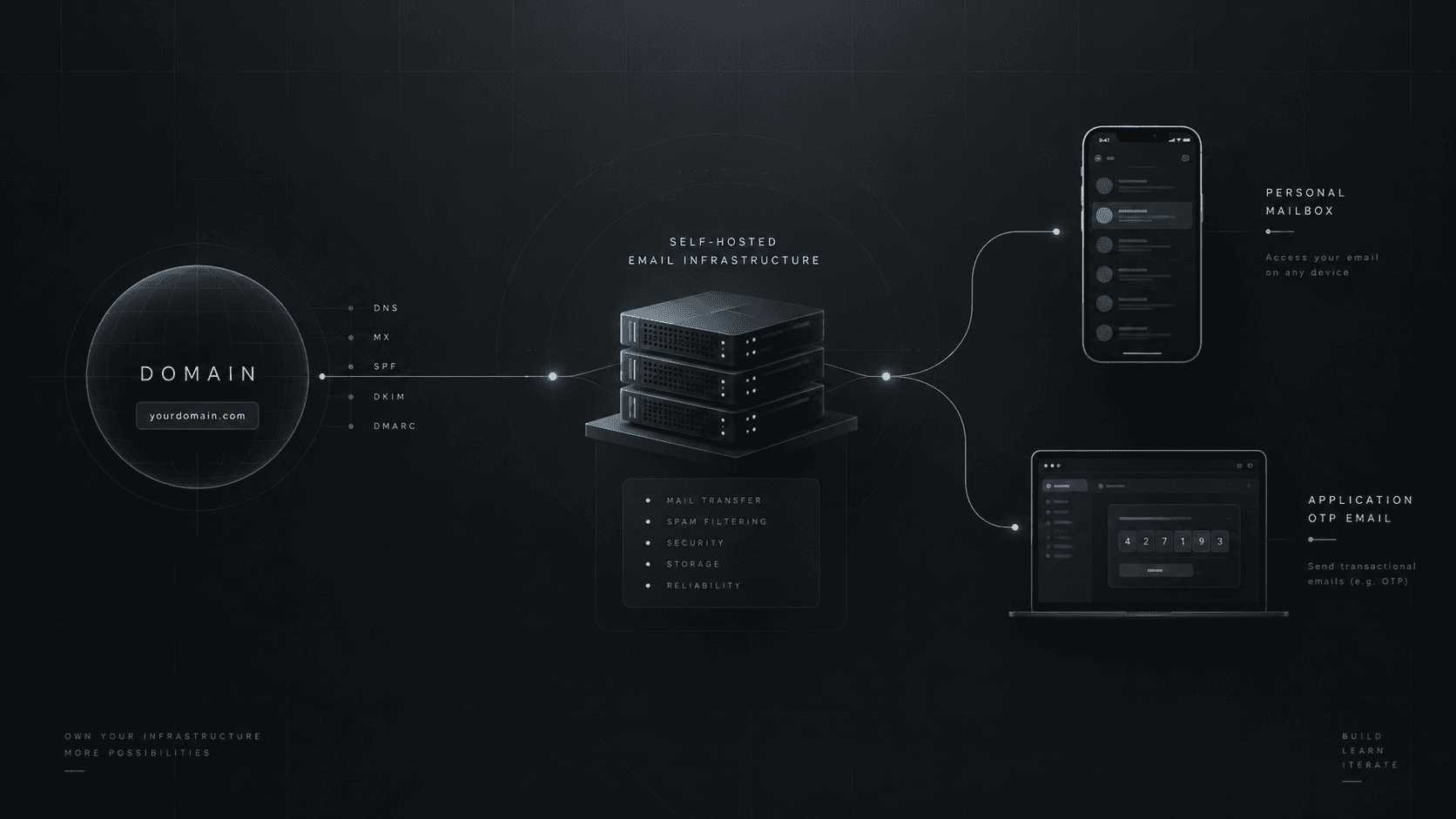

From a Domain to My Own Email Infrastructure
How I set up email for my domain, connected it to Gmail on mobile, and used the same infrastructure to send OTP emails from my applications.
Case Study · Email Infrastructure · [X] min read
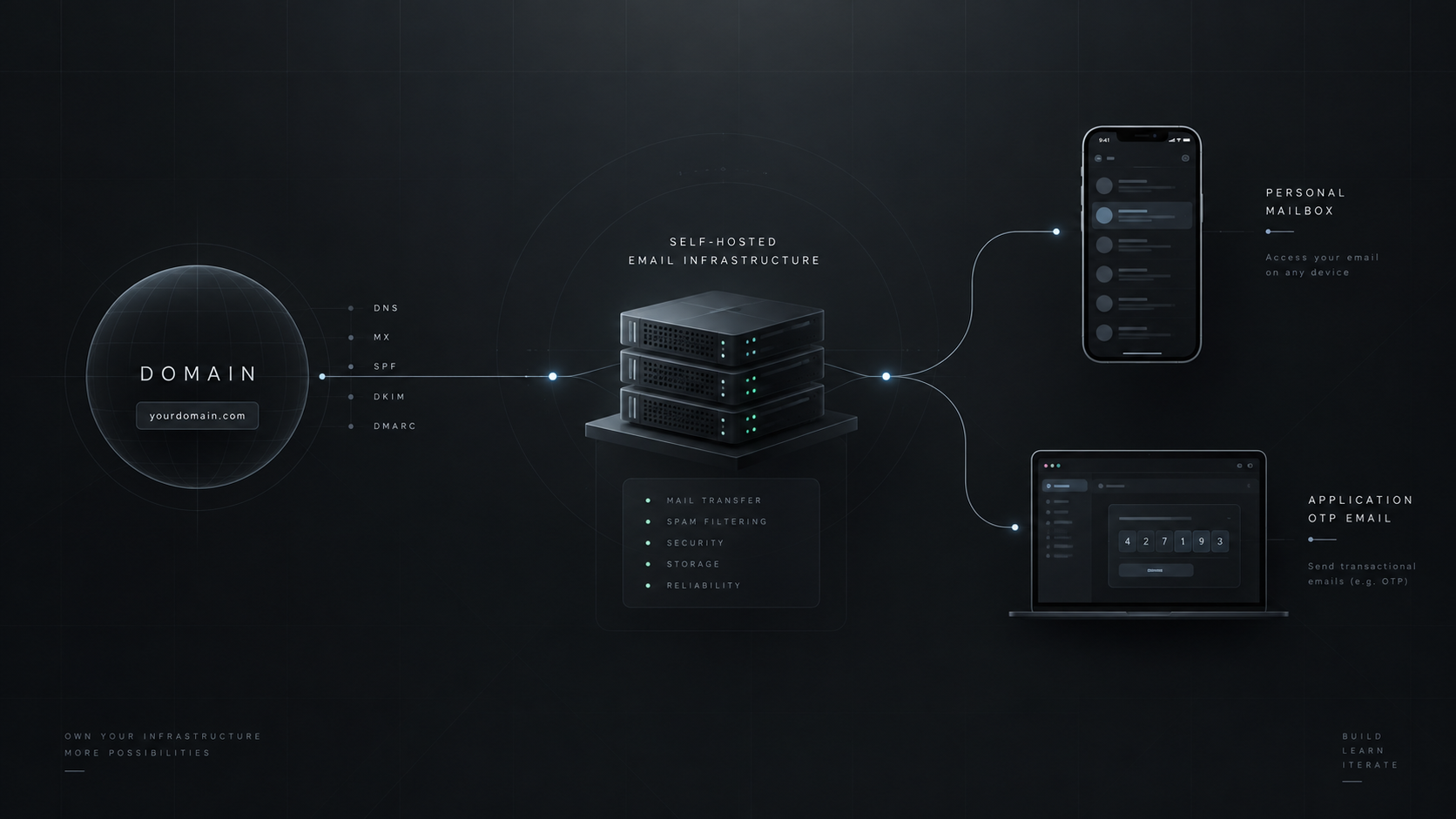
I had a domain, but I was still relying on another service for email. At some point I wanted to understand what actually happens behind a custom-domain mailbox, so I decided to build a small email infrastructure of my own.
The goal was simple: send and receive email from my domain, use the mailbox from my phone just like any other account in Gmail, and reuse the same infrastructure to send OTP emails from my applications.
This is not meant to be a complete mail-server tutorial. It is a case study of what I built, how the pieces fit together, and what I learned along the way.
What I Built
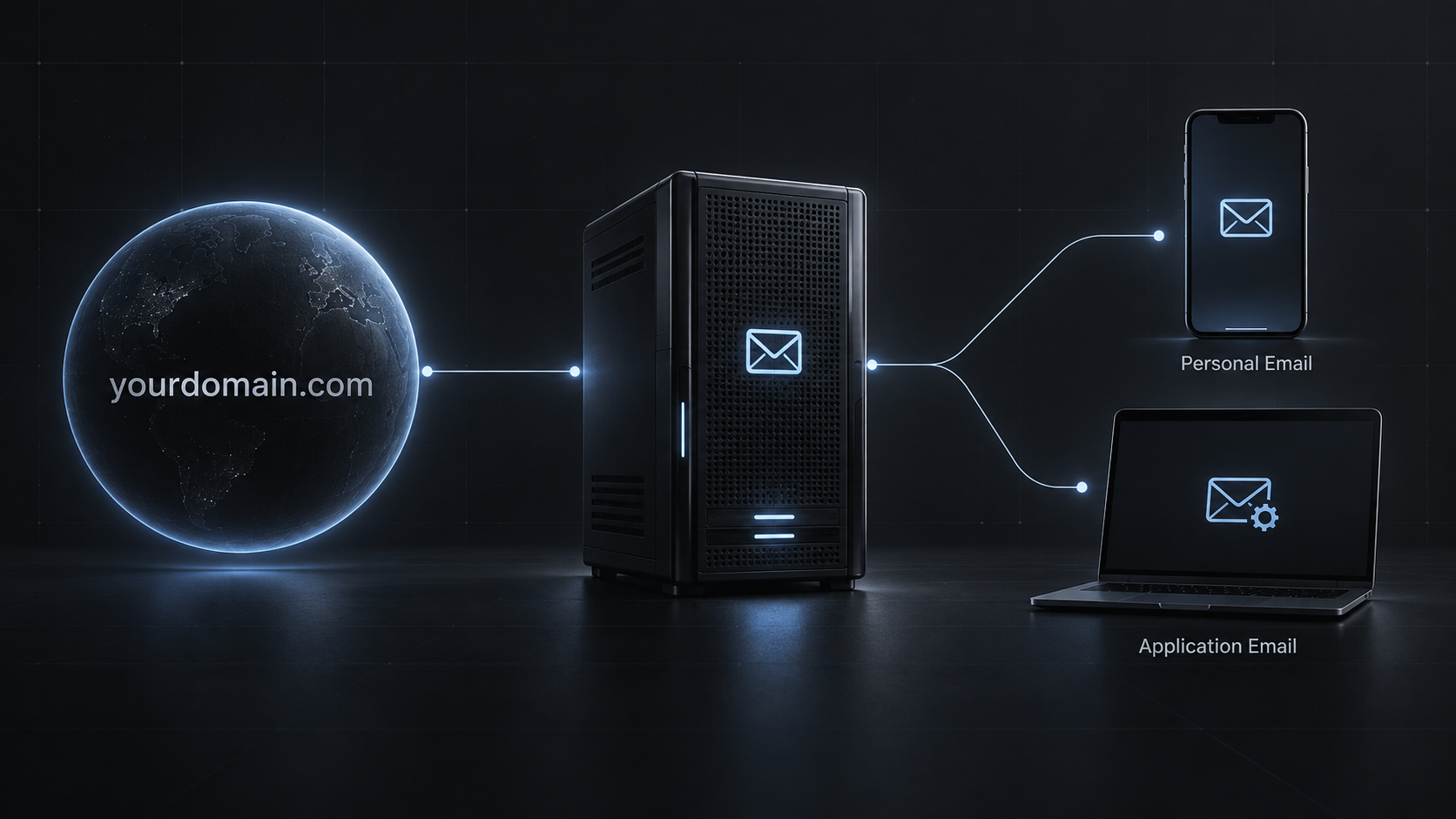
At a high level, the system looks like this:
mohsen.info → DNS → Email Server → Mailbox → Gmail Mobile Application → SMTP → Email Server → Delivery / Mailbox
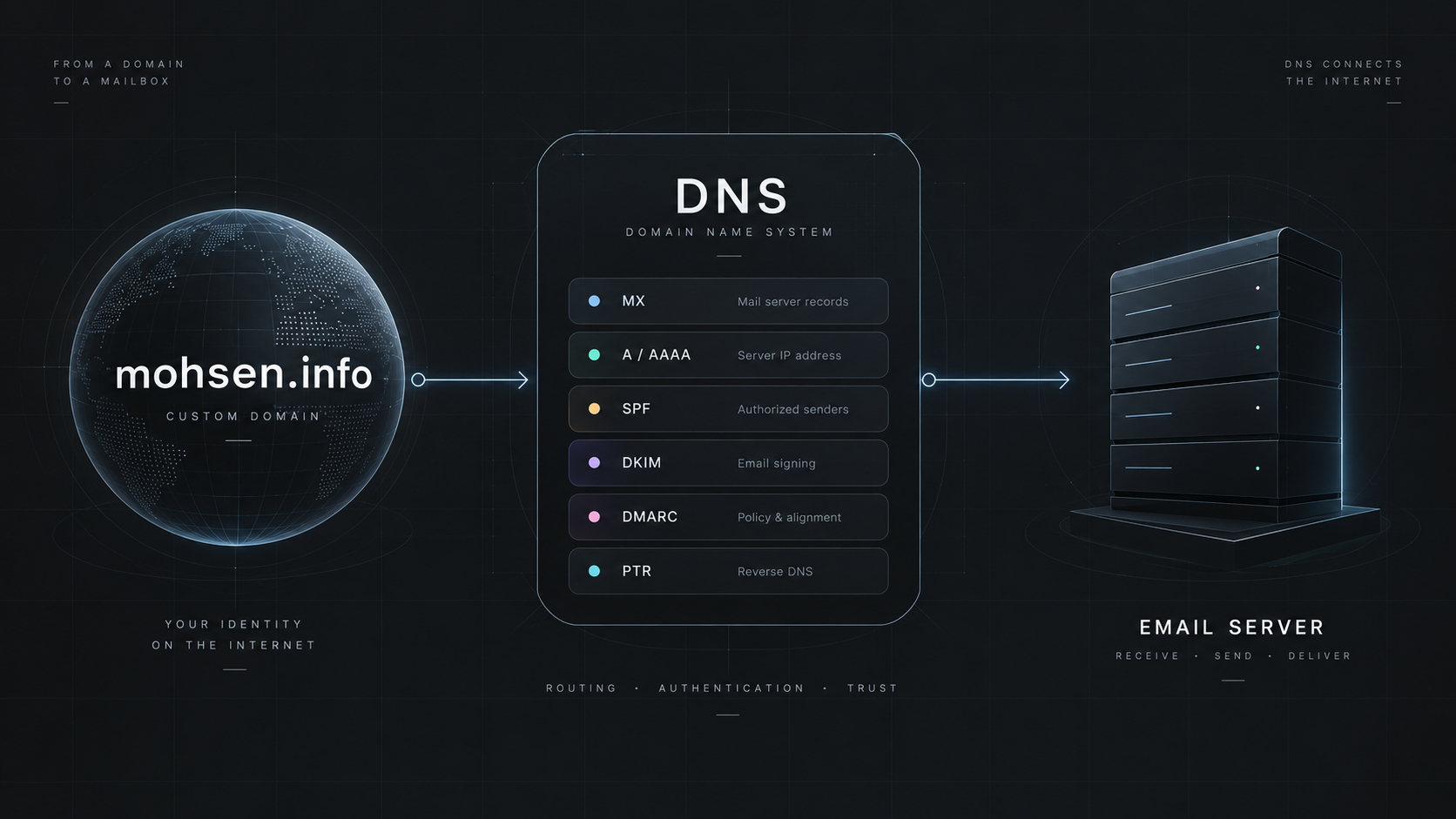
The domain provides the identity, DNS tells other systems where email should be delivered, and the mail server handles sending, receiving, and storing the mailbox.
It Starts With the Domain
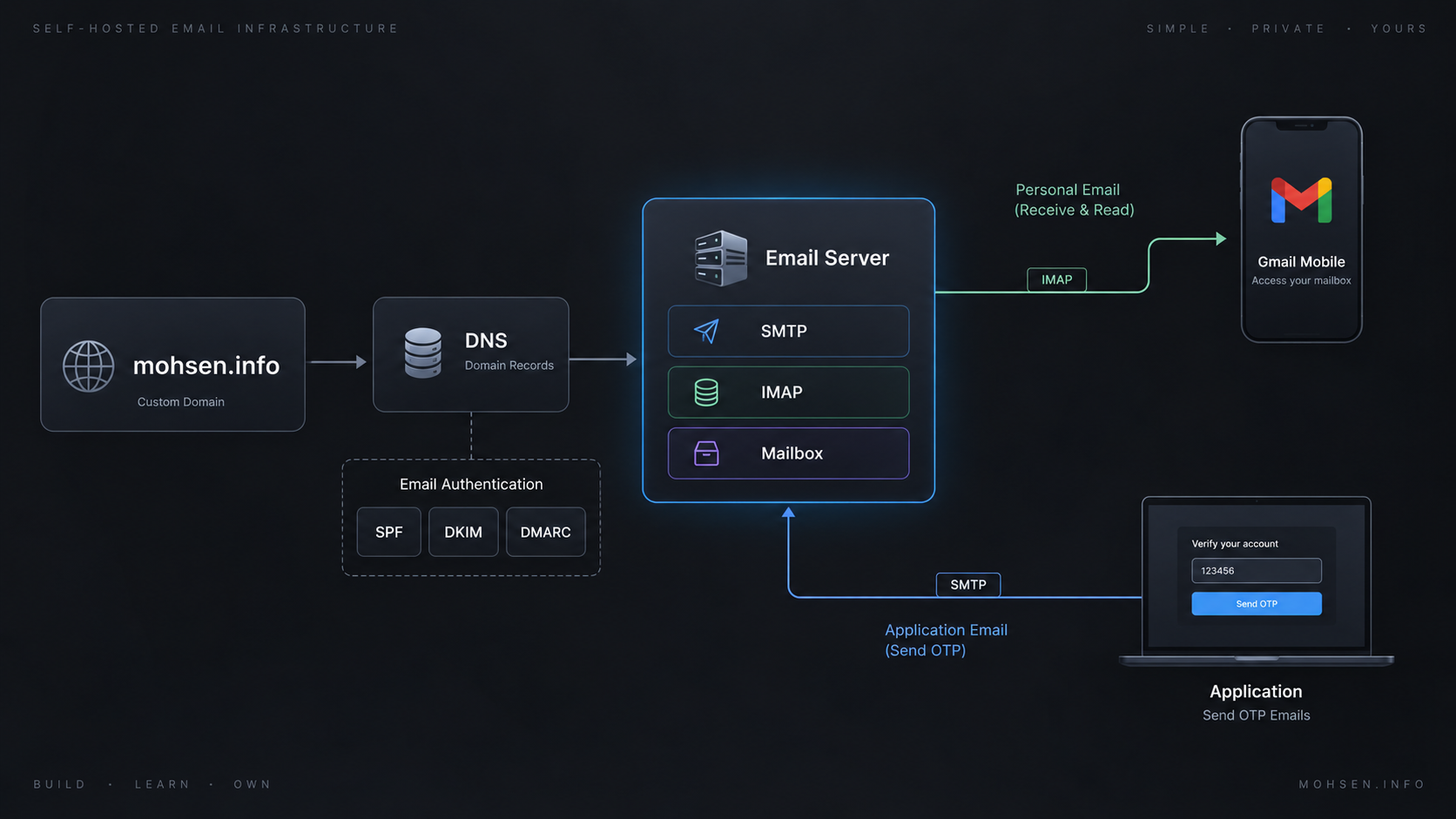
Running email is not just about installing a mail server. The domain first needs to be configured for email. DNS is the foundation of that setup: it tells other mail servers where messages should go and provides information that receiving systems can use to authenticate outgoing mail.
My setup included records such as MX for mail routing, A / AAAA for hostname resolution, PTR for reverse DNS, SPF for authorized senders, DKIM for message signing, and DMARC for authentication policy and reporting.
One of the first things I learned was that being able to send an email is not the same as being trusted to deliver it.
Google's current guidance for mail sent to personal Gmail accounts emphasizes authentication, valid forward and reverse DNS, and TLS. Higher-volume senders have additional SPF, DKIM, and DMARC requirements.
SMTP Sends. IMAP Reads.
SMTP and IMAP solve different problems.
SMTP is responsible for sending messages. IMAP gives mail clients access to and synchronization with the mailbox stored on the server.
Sending: Application → SMTP → Recipient Mail Server Receiving: Sender → MX / DNS → My Mail Server → Mailbox → IMAP → Gmail
Using My Domain Email in Gmail
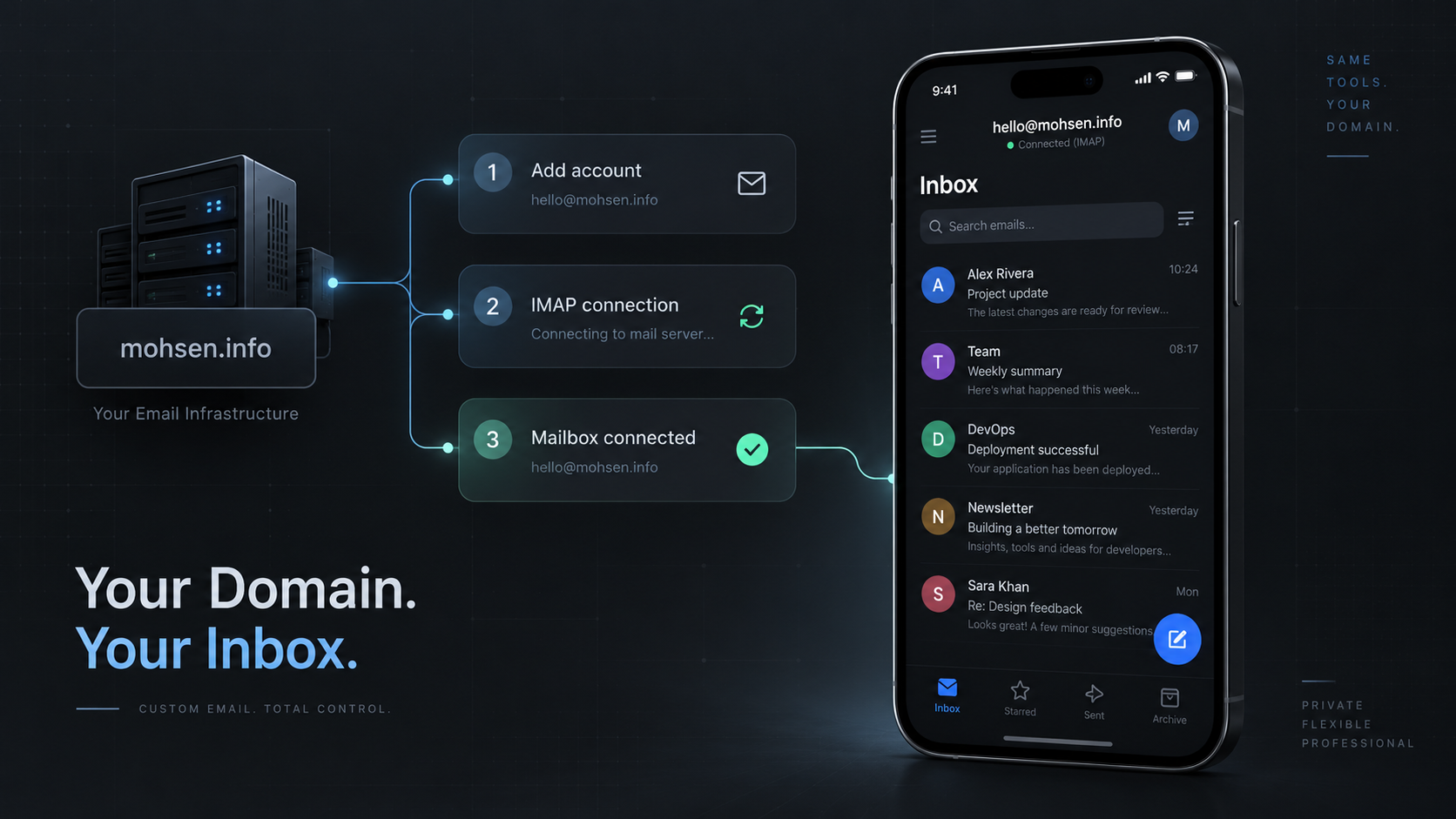
One of the nicest parts of this setup is that I did not need a separate email client on my phone. The Gmail app supports adding non-Gmail accounts through IMAP, so I can connect a mailbox on my own domain to the same mobile experience.
In this setup, Gmail is not hosting my mailbox. It is simply the client I use to access it.
Reusing the Same Infrastructure for OTP
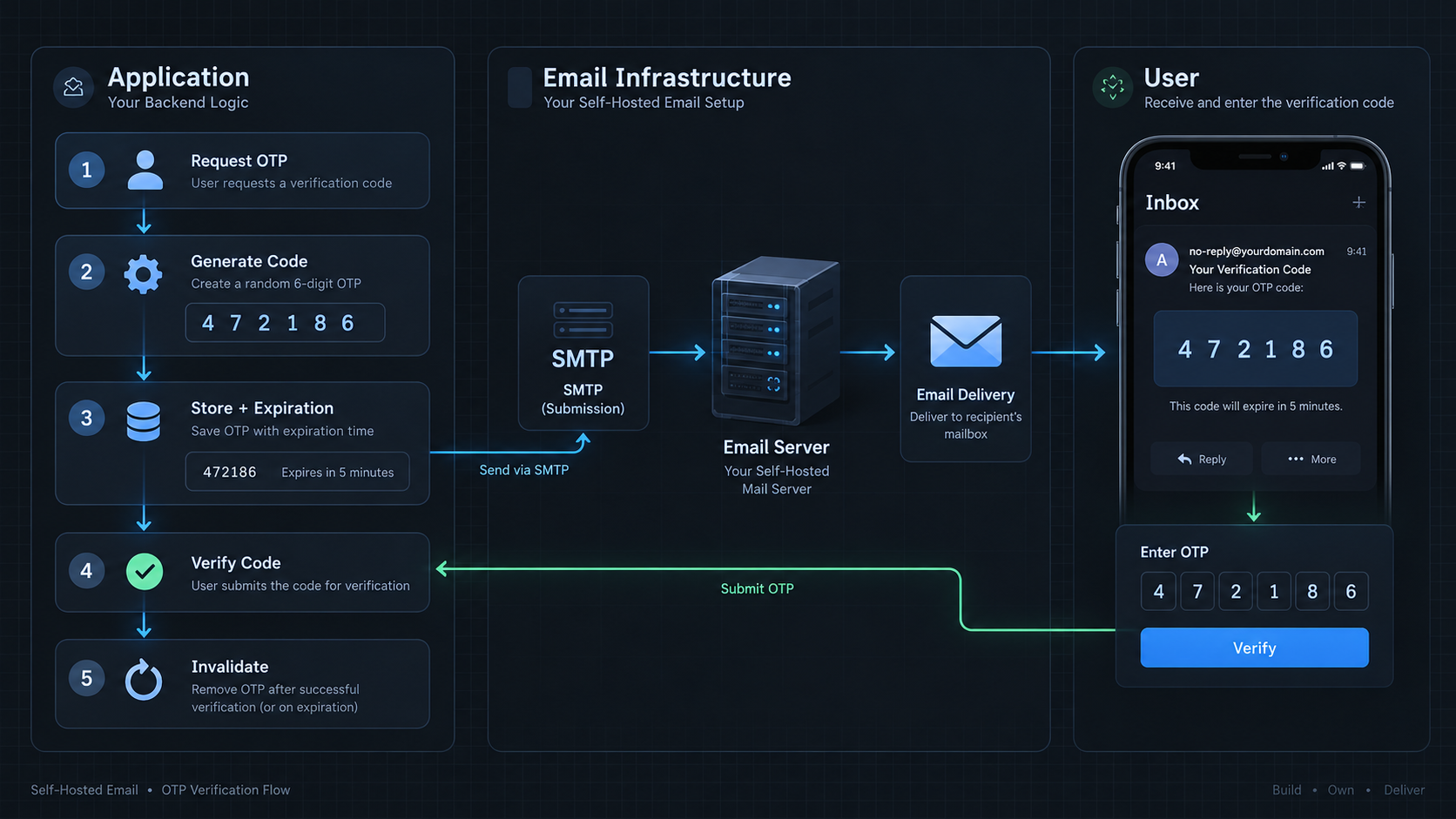
The more interesting part came when I connected the same setup to my applications. Instead of introducing a separate email system just for transactional messages, the application can use SMTP to send OTP emails from the same domain.
The flow looks roughly like this: User → Request OTP → Generate Code → Store OTP + Expiration → Send via SMTP → Email Delivered → Verify → Invalidate.
The email itself is only one part of the problem. The application still needs to handle the security around the OTP: a short lifetime, one-time use, and protection against excessive or abusive requests.
In my implementation, the OTP flow runs on Next.js with Prisma. The application generates a four-digit one-time code and stores only a SHA-256 hash of the code with the challenge. Each challenge is valid for two minutes, allows a maximum of five verification attempts, and has a 60-second resend cooldown. OTP requests are limited to eight per day per phone number and per IP address, while verification is separately rate-limited. After successful verification, the challenge is consumed and cannot be reused. Email delivery goes through the application's mail abstraction, which uses Nodemailer when the configured SMTP transport is available.
The Part I Didn't Expect
The harder part was not making SMTP work. It was deliverability.
On paper, email looks simple: run an SMTP server, configure a domain, send a message. In practice, the receiving side also needs to decide whether that message is legitimate.
That is where SPF, DKIM, DMARC, reverse DNS, and TLS become important. Google's current Gmail sender guidance emphasizes these authentication and infrastructure layers.
One of the biggest lessons from this project was:
Running an email server is one problem. Making email trustworthy is another.
Pros & Cons
Why I Like It
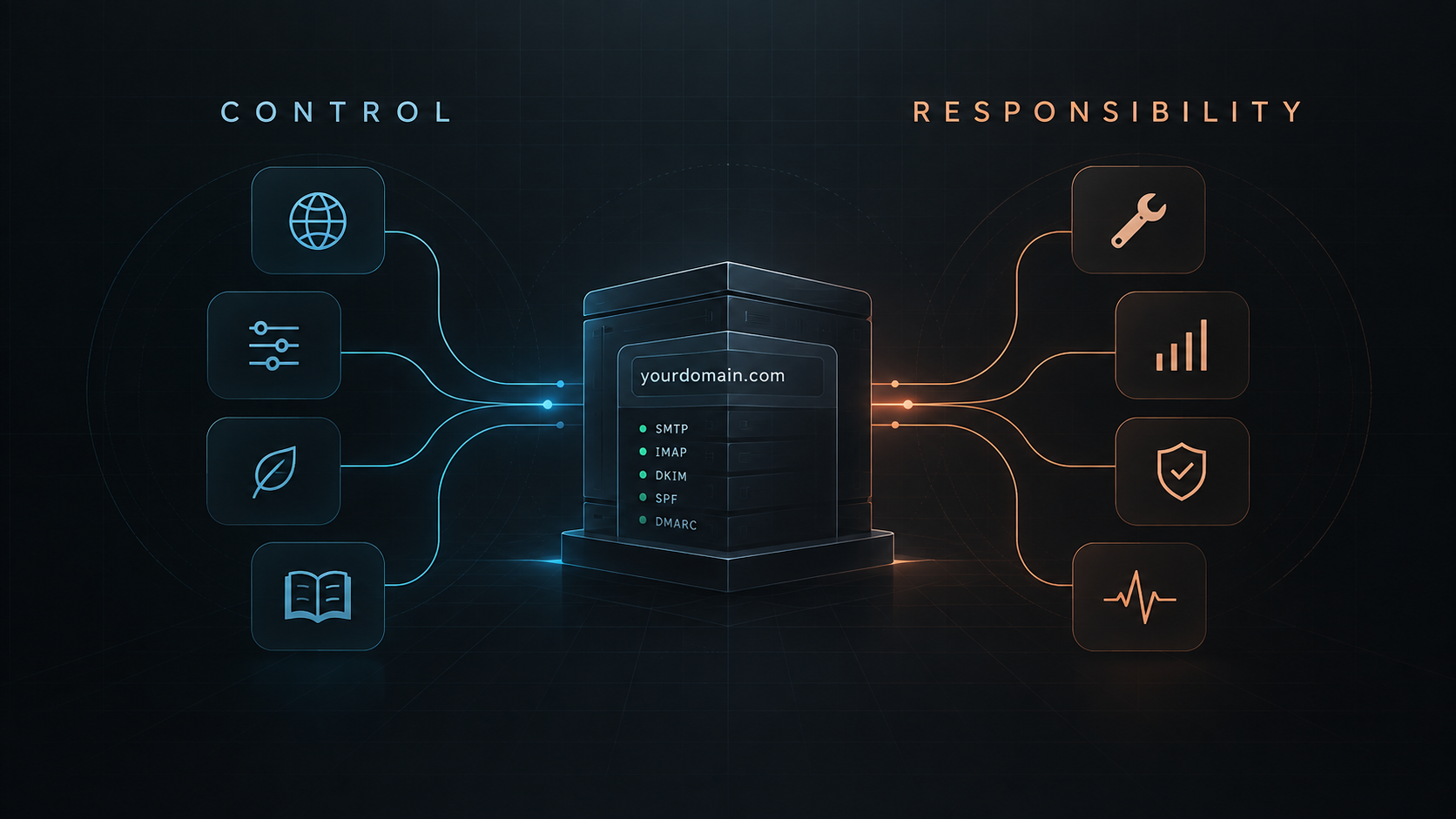
More control: I manage the domain, mailbox, and sending infrastructure.
Real infrastructure experience: email is no longer a black box to me.
One setup, multiple use cases: the same infrastructure can support a personal mailbox and application messages.
What Comes With That Control
Maintenance: running the infrastructure means maintaining it.
Deliverability: successful SMTP delivery does not automatically mean inbox placement.
Security & abuse prevention: a public-facing mail system needs serious protection and monitoring.
Scale: for personal use or a small project it can make sense; for high-volume transactional email, a specialized provider may be more practical.
Would I Do It Again?
Yes — but not because self-hosted email is always the best solution. For me, the value was mainly in control and understanding.
If I were starting again, I would put even more attention into monitoring, deliverability, and backups before treating the setup as ready for a larger workload.
Final Note
For me, this project was about more than having an email address on my own domain. It turned an everyday service into a real engineering problem: DNS, authentication, mail delivery, mailbox access, mobile clients, and application integration all connected in one small system.
And that was probably the most interesting part of it — discovering how many layers sit behind something that usually feels completely invisible.
FAQ
Can I use a custom-domain email address in the Gmail app?
Yes. Gmail supports adding non-Gmail accounts through IMAP on Android, iPhone, and iPad.
Do I need Gmail to use my custom email address?
No. In this setup Gmail is simply the mail client; the mailbox remains on the personal email infrastructure.
What's the difference between SMTP and IMAP?
SMTP is used for sending email, while IMAP is used by mail clients to access and synchronize a mailbox.
Why do SPF, DKIM, and DMARC matter?
They help receiving systems authenticate the sending domain and evaluate message legitimacy. Google also emphasizes email authentication for delivery to Gmail.
Is self-hosted email better than using a hosted provider?
Not necessarily. Self-hosting provides more control and hands-on experience, but also makes maintenance, security, and deliverability your responsibility.
Can the same infrastructure send OTP emails?
Yes. An application can use SMTP to send OTP messages, while expiration, one-time use, rate limiting, and other security controls remain application-level concerns.